
Online banking has completely transformed the way people manage money. What once required long queues, paperwork, and branch visits can now be done in seconds from a smartphone or computer.
Today, millions of people use online banking to:
- Check account balances
- Transfer money
- Pay utility bills
- Manage debit and credit cards
- Apply for loans
- Track spending
- Open accounts remotely
But many beginners still wonder:
How does online banking actually work behind the scenes?
Understanding online banking is important because digital finance is now becoming the standard worldwide. In 2026, banks are increasingly shifting toward mobile-first and digital-first services, while customers expect faster, easier, and more secure financial experiences.
This beginner-friendly guide explains how online banking works, the technology behind it, how transactions are processed, the benefits and risks, and how to use online banking safely and confidently.
Whether you are new to digital banking or simply want a better understanding of how modern banking systems operate, this guide will help you learn the essentials in simple language.
What Is Online Banking?
Online banking, also called internet banking or digital banking, allows customers to access and manage their bank accounts through the internet.
Instead of visiting a physical bank branch, users can perform financial activities using:
- A web browser on a computer
- A mobile banking app on a smartphone or tablet
Online banking gives users remote access to financial services anytime and from almost anywhere.
What Can You Do With Online Banking?
Modern online banking platforms offer a wide range of services.
Common online banking activities include:
- Checking balances
- Viewing transaction history
- Transferring money
- Paying utility bills
- Downloading statements
- Managing debit and credit cards
- Applying for loans
- Opening fixed deposits
- Tracking spending
- Receiving account alerts
Many banks now provide nearly all major banking services digitally.
How Online Banking Works (Simple Explanation)
At its core, online banking works by securely connecting your device to your bank’s computer systems through the internet.
When you use online banking, several things happen within seconds.
Step 1: You Log In
You enter your:
- Username
- Password
- PIN
- Biometric verification in some cases
This tells the bank who you are.
Step 2: The Bank Verifies Your Identity
The bank checks your login credentials using secure authentication systems.
Some banks also use:
- One-time passwords (OTP)
- SMS verification
- Two-factor authentication (2FA)
- Face recognition
- Fingerprint scanning
This helps prevent unauthorized access.
Step 3: You Access Your Banking Dashboard
Once verified, you gain access to your account dashboard.
This dashboard allows you to:
- View balances
- Monitor transactions
- Send money
- Pay bills
- Manage cards
- Access financial tools
Step 4: You Perform Transactions
When you transfer money or make a payment, the bank processes your request through its internal systems.
The transaction is checked for:
- Security
- Sufficient balance
- Fraud risks
- Correct recipient details
Step 5: The Transaction Is Processed and Recorded
The bank updates its records and completes the transaction.
You usually receive:
- Instant confirmation
- SMS alerts
- Email notifications
- Updated balance information
All of this happens almost instantly.
Key Components of Online Banking
To understand online banking better, it helps to break it into its main parts.
1. Frontend (User Interface)
The frontend is the part users interact with directly.
This includes:
- Banking websites
- Mobile apps
- User dashboards
The frontend allows customers to perform banking actions easily.
Modern banks focus heavily on user-friendly design and mobile experience.
2. Backend Banking System
The backend is the bank’s internal system where financial data is stored and processed.
It includes:
- Customer account databases
- Transaction systems
- Payment processors
- Loan management systems
- Security systems
The backend handles all financial calculations and transaction records.
3. Internet Connection
Your device communicates with the bank using encrypted internet connections.
Data moves securely between:
- Your device
- The bank’s servers
- Payment networks
Without the internet, online banking cannot function.
4. Security Systems
Security is one of the most important parts of online banking.
Banks use advanced technologies such as:
- Encryption
- Firewalls
- Fraud detection systems
- Multi-factor authentication
- AI-powered monitoring
These systems help protect customer data and financial transactions.
Features of Online Banking
Online banking platforms continue to expand their services every year.
1. Account Management
Users can:
- Check balances
- Review transactions
- Download statements
- Monitor spending
This gives customers real-time visibility into their finances.
2. Money Transfers
Online banking allows users to:
- Send money locally
- Transfer internationally
- Move money between accounts
Transfers are often completed within seconds or minutes.
3. Bill Payments
Users can pay:
- Electricity bills
- Water bills
- Internet bills
- Mobile top-ups
- Subscription services
Many banks also support automatic bill payments.
4. Card Management
Users can manage debit and credit cards digitally.
Common features include:
- Card activation
- Freezing or blocking cards
- Setting spending limits
- Changing PINs
5. Loan and Credit Services
Many banks now allow customers to:
- Apply for loans online
- Manage credit cards
- Track loan balances
- View repayment schedules
Digital lending is growing rapidly in 2026.
Step-by-Step: How to Start Using Online Banking
If you are new to online banking, the process is usually straightforward.
Step 1: Open a Bank Account
First, you need a bank account.
Some banks allow fully online account opening.
Others may require identity verification at a branch.
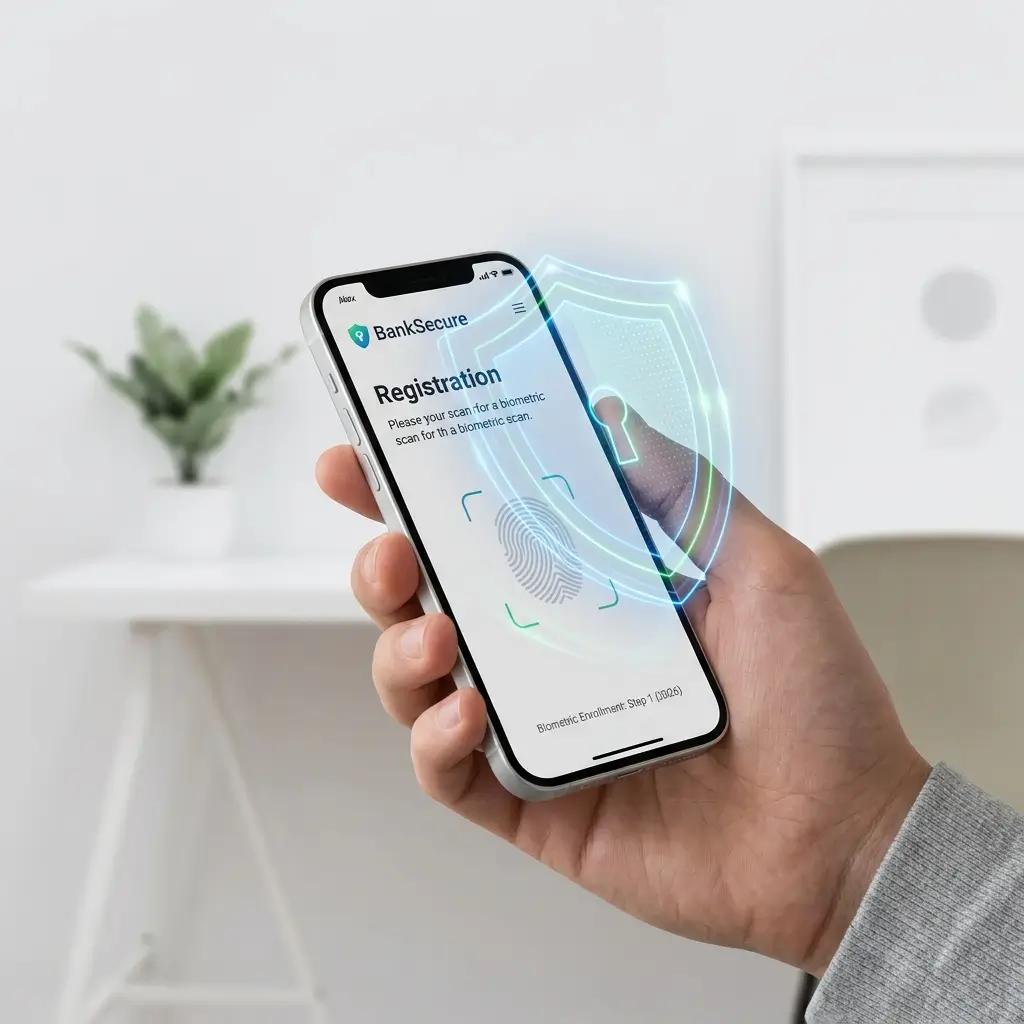
Step 2: Register for Online Banking
You register through:
- The bank website
- Mobile app
- Branch assistance
The bank creates your digital banking access.
Step 3: Create Login Credentials
You set:
- Username
- Password
- Security questions
Some banks also enable biometric login.
Step 4: Verify Your Identity
Banks usually confirm identity using:
- SMS verification codes
- Email confirmation
- Identity documents
- Biometric verification
Step 5: Access Your Account
Once setup is complete, you can log in and start using online banking services.
How Online Transactions Work
Many people use online banking daily without understanding how transactions are processed.
Here’s a simplified explanation.
Example: Sending Money Online
When you transfer funds:
- You enter recipient details
- The bank verifies the request
- Security systems check for fraud
- Funds are deducted from your account
- Payment networks process the transfer
- The recipient receives the money
- Transaction records are updated
This entire process often takes only seconds.
Types of Online Banking Services
Online banking includes different categories of services.
1. Personal Online Banking
Designed for individuals managing personal finances.
Features include:
- Savings accounts
- Bill payments
- Transfers
- Budget tracking
2. Business Online Banking
Businesses use digital banking for:
- Payroll
- Supplier payments
- Cash flow management
- Expense tracking
Business banking platforms often include advanced financial tools.
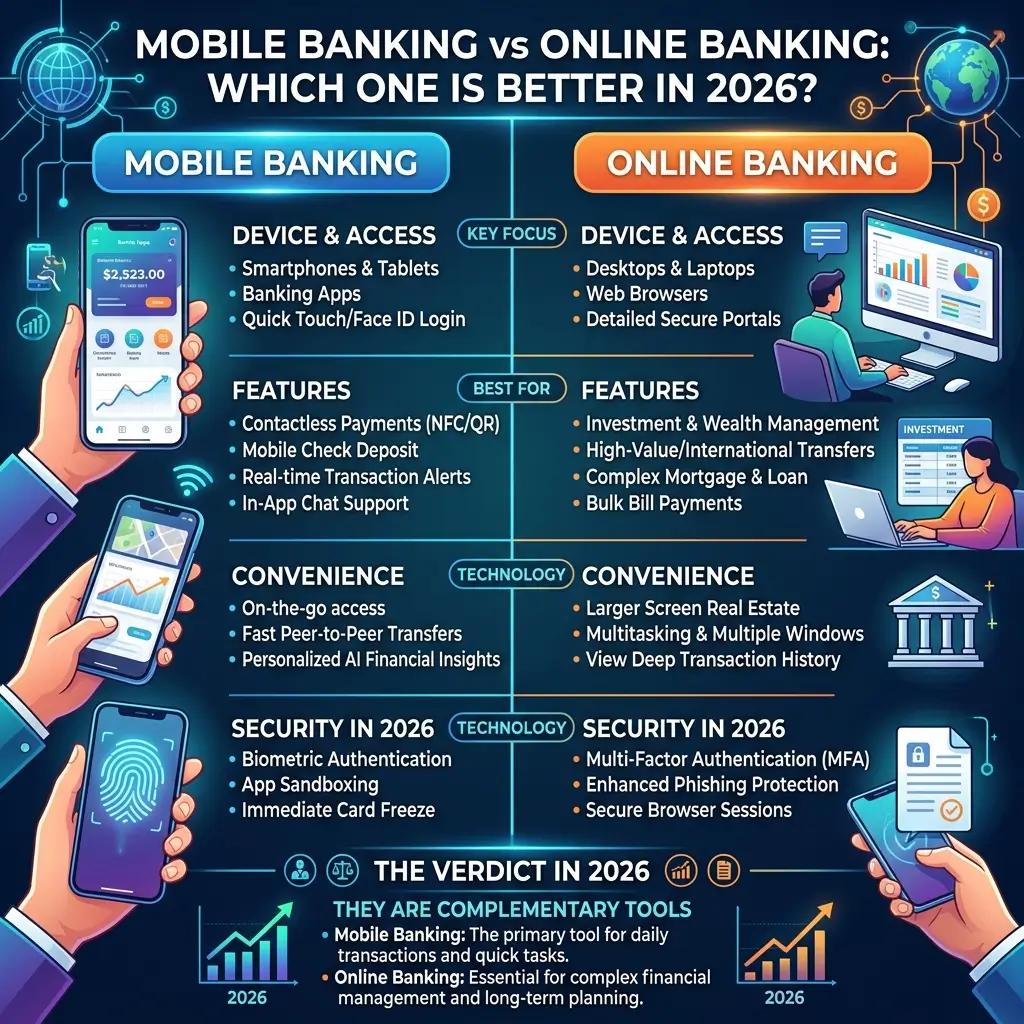
3. Mobile Banking
Mobile banking refers specifically to banking through smartphone apps.
Mobile apps are now the primary banking method for many users.
4. Digital Banks (Neobanks)
Neobanks are fully digital banks without physical branches.
They focus heavily on:
- Fast onboarding
- Low fees
- Better app experiences
Neobanks are especially popular among younger users and freelancers.
Advantages of Online Banking
Online banking offers many important benefits.
1. Convenience
Users can access financial services anytime and anywhere.
2. Time-Saving
No need to visit branches or wait in queues.
3. Lower Costs
Digital banking often reduces operational costs, leading to lower fees.
4. Faster Transactions
Transfers and payments happen quickly.
5. Better Financial Control
Users can track spending and account activity in real time.
6. Paperless Banking
Digital banking reduces paperwork and supports environmentally friendly banking.
Disadvantages of Online Banking
Despite its advantages, online banking also has limitations.
1. Internet Dependence
Online banking requires:
- Internet access
- Smartphones or computers
Poor connectivity can create problems.
2. Cybersecurity Risks
Hackers and scammers target digital banking systems.
Users must remain cautious.
3. Technical Issues
Apps and websites may occasionally experience:
- Downtime
- Maintenance
- System errors
4. Limited Face-to-Face Support
Some users still prefer in-person banking assistance for complex financial issues.
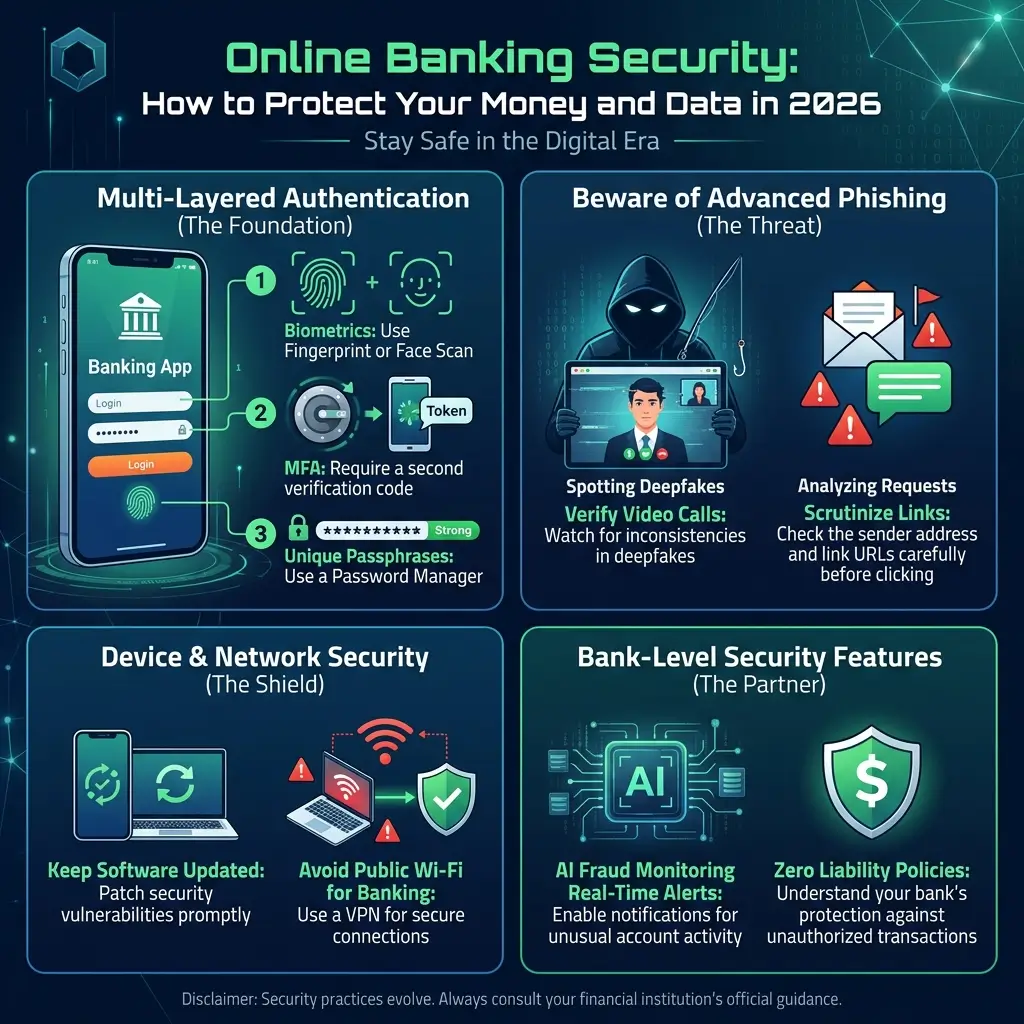
Is Online Banking Safe?
Yes — online banking is generally very safe when used properly.
Banks invest heavily in cybersecurity technologies.
Common security protections include:
- Encryption
- Secure login systems
- AI fraud detection
- Two-factor authentication
- Real-time monitoring
However, user behavior also matters.
Even the strongest banking systems can be vulnerable if users ignore security best practices.
Safety Tips for Online Banking
Users can significantly improve security by following simple habits.
1. Use Strong Passwords
Avoid weak or predictable passwords.
Use unique passwords for banking accounts.
2. Enable Two-Factor Authentication
2FA adds an extra layer of security.
Even if someone knows your password, they may still be blocked from access.
3. Avoid Public Wi-Fi
Public networks can expose sensitive information.
Use secure internet connections whenever possible.
4. Log Out After Use
Especially on shared or public devices.
5. Monitor Transactions Regularly
Check account activity frequently for suspicious transactions.
6. Avoid Clicking Unknown Links
Phishing scams often imitate banks.
Only use official banking websites and apps.
Online Banking vs Traditional Banking
| Feature | Online Banking | Traditional Banking |
|---|---|---|
| Access | 24/7 online | Limited branch hours |
| Convenience | Very high | Moderate |
| Speed | Fast | Slower |
| Fees | Often lower | Often higher |
| Branch Visits | Usually unnecessary | Often required |
| User Experience | Digital-first | Branch-focused |
Online banking clearly offers greater convenience and speed.
Who Should Use Online Banking?
Online banking is useful for almost everyone.
It is especially helpful for:
- Students
- Professionals
- Freelancers
- Business owners
- Remote workers
- Frequent travelers
- Digital nomads
Anyone who values speed and convenience can benefit from digital banking services.
Common Mistakes Beginners Make
New users sometimes make avoidable security mistakes.
1. Sharing Login Credentials
Never share passwords or verification codes.
2. Using Weak Passwords
Simple passwords increase hacking risk.
3. Ignoring Security Alerts
Banks send alerts for suspicious activity.
Always review warnings carefully.
4. Falling for Phishing Scams
Fake emails and websites often pretend to be banks.
Verify all communication carefully.
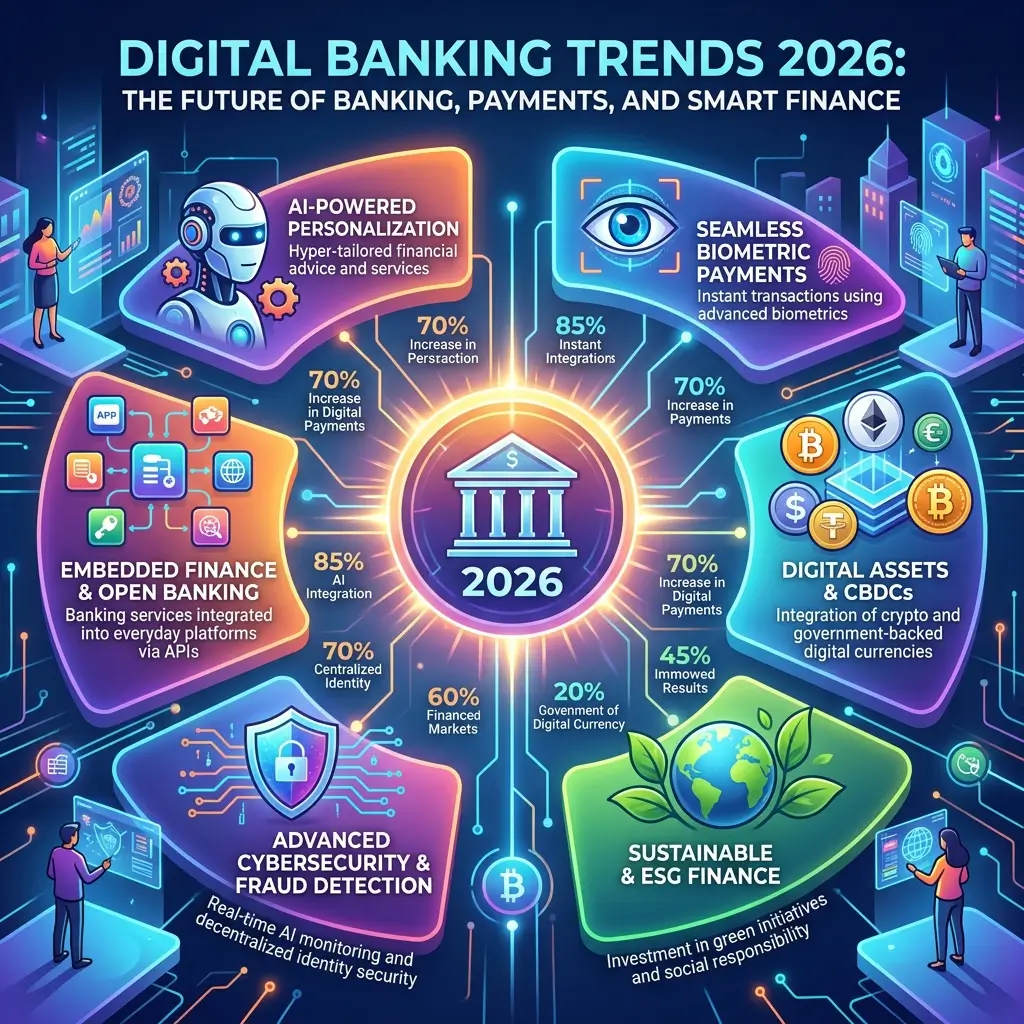
Future of Online Banking (2026 and Beyond)
Online banking continues evolving rapidly.
Several major trends are shaping the future.
AI-Powered Banking
Artificial intelligence is helping banks provide:
- Personalized financial advice
- Automated budgeting
- Smarter fraud detection
Voice Banking
Some systems now support voice-based banking commands.
Biometric Authentication
Fingerprint and facial recognition continue replacing passwords.
Faster Global Payments
Cross-border transfers are becoming quicker and cheaper.
Open Banking Integration
Banks increasingly connect with fintech apps through APIs.
This creates more connected financial ecosystems.
Why Online Banking Matters for Financial Education and SEO
Online banking is one of the most searched finance topics globally.
It attracts:
- Beginners
- Students
- Consumers
- Small businesses
- Digital finance users
This topic also supports:
- Financial education
- Topical authority
- Internal linking opportunities
- Long-term search visibility
As digital finance grows, online banking content will remain highly relevant.
Frequently Asked Questions (FAQs)
Q1: How does online banking work?
Online banking connects users to their bank accounts through secure internet systems, allowing digital access to financial services.
Q2: Is online banking free?
Most basic online banking services are free, although some advanced services may involve fees.
Q3: Can I transfer money online?
Yes, online banking allows users to transfer money locally and internationally.
Q4: Is online banking safe?
Yes, online banking is generally safe when banks and users follow strong security practices.
Q5: What is the difference between online banking and mobile banking?
Online banking usually refers to browser-based access, while mobile banking refers specifically to banking through smartphone apps.
Q6: Do online banks have physical branches?
Some digital banks operate entirely online without physical branches.
Final Thoughts: Online Banking Is the Future of Everyday Finance
Online banking has made managing money faster, easier, and more accessible than ever before.
Instead of relying on physical branches, users can now handle almost every financial task digitally within seconds.
From checking balances and paying bills to managing investments and transferring money globally, online banking is becoming the standard financial experience worldwide.
As digital banking technology continues improving in 2026 and beyond, users can expect:
- Smarter banking apps
- Faster payments
- Better security
- More automation
- Personalized financial tools
Understanding how online banking works helps users take advantage of these tools safely and confidently.
The future of banking is increasingly digital, connected, and intelligent — and learning the basics today is one of the best ways to prepare for the future of finance.