
Online banking has made financial life faster, easier, and more convenient. Today, you can check your balance, transfer money, pay bills, manage cards, and use digital wallets without visiting a bank branch.
But convenience also brings responsibility.
As more people use internet banking, mobile banking apps, and digital payment platforms, cybercriminals are becoming more advanced. Phishing scams, fake banking apps, malware, identity theft, and account takeovers are now serious threats for everyday users.
The good news is that online banking can be very safe when banks use strong security systems and users follow smart safety habits.
This complete 2026 guide explains how online banking security works, the most common threats, warning signs of fraud, and practical steps you can take to protect your money, personal data, and financial accounts.
What Is Online Banking Security?
Online banking security refers to the technologies, systems, and personal habits used to protect digital banking accounts and financial transactions.
It protects:
- Bank accounts
- Login details
- Personal information
- Debit and credit card data
- Online payments
- Money transfers
- Financial records
Banks are responsible for building secure systems, but users also play a major role. Even the strongest banking platform can become risky if a customer uses weak passwords, clicks phishing links, or shares OTP codes.
Online banking security is a shared responsibility between banks and users.
Why Online Banking Security Matters
Financial data is one of the most valuable types of personal information. Hackers target bank accounts because they can use stolen information to:
- Steal money
- Commit identity theft
- Open fake accounts
- Make unauthorized purchases
- Access personal documents
- Sell data online
A single security mistake can lead to financial loss, stress, and long recovery processes.
Common online banking risks include:
- Unauthorized transactions
- Account hacking
- Data breaches
- Fake login pages
- Card fraud
- Stolen passwords
- Phishing attacks
That is why online banking security is more important than ever in 2026.
How Banks Protect Your Online Banking Account
Modern banks use several layers of protection to secure customer accounts.
1. Encryption Technology
Encryption converts your data into unreadable code while it travels between your device and the bank’s system.
This means even if someone intercepts the data, they cannot easily read it.
Encryption helps protect:
- Login details
- Account information
- Transaction data
- Personal records
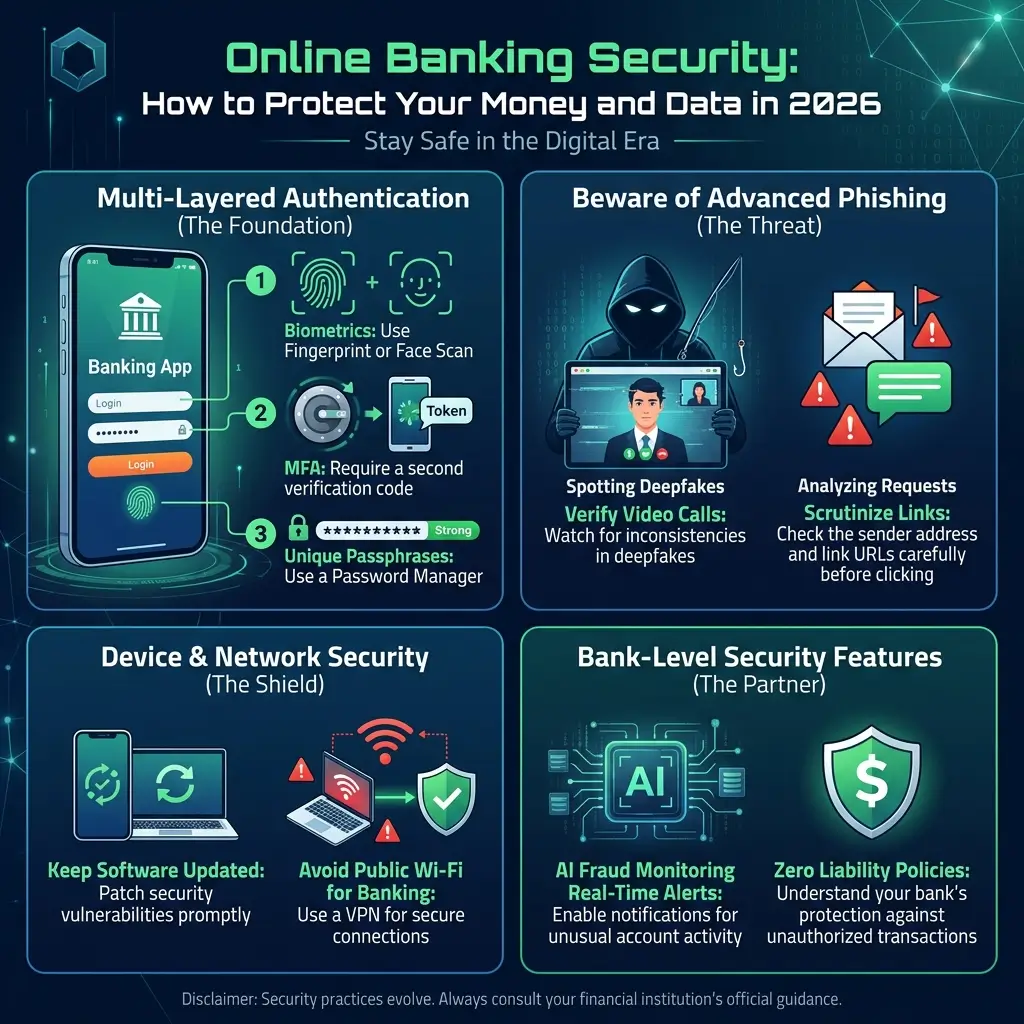
2. Two-Factor Authentication
Two-factor authentication, also called 2FA, adds an extra security step.
Instead of relying only on a password, banks may require:
- Password
- One-time password
- SMS code
- Email confirmation
- Authentication app approval
This makes account access harder for hackers.
3. Secure Banking Servers
Banks store customer data on protected systems with firewalls, monitoring tools, and access controls.
These systems are designed to prevent unauthorized access and data leaks.
4. Fraud Detection Systems
Many banks now use artificial intelligence and automated monitoring to detect unusual account activity.
For example, the system may flag:
- Login attempts from unknown locations
- Large unusual transfers
- Multiple failed login attempts
- Suspicious card usage
If something looks unusual, the bank may temporarily block the transaction or alert the customer.
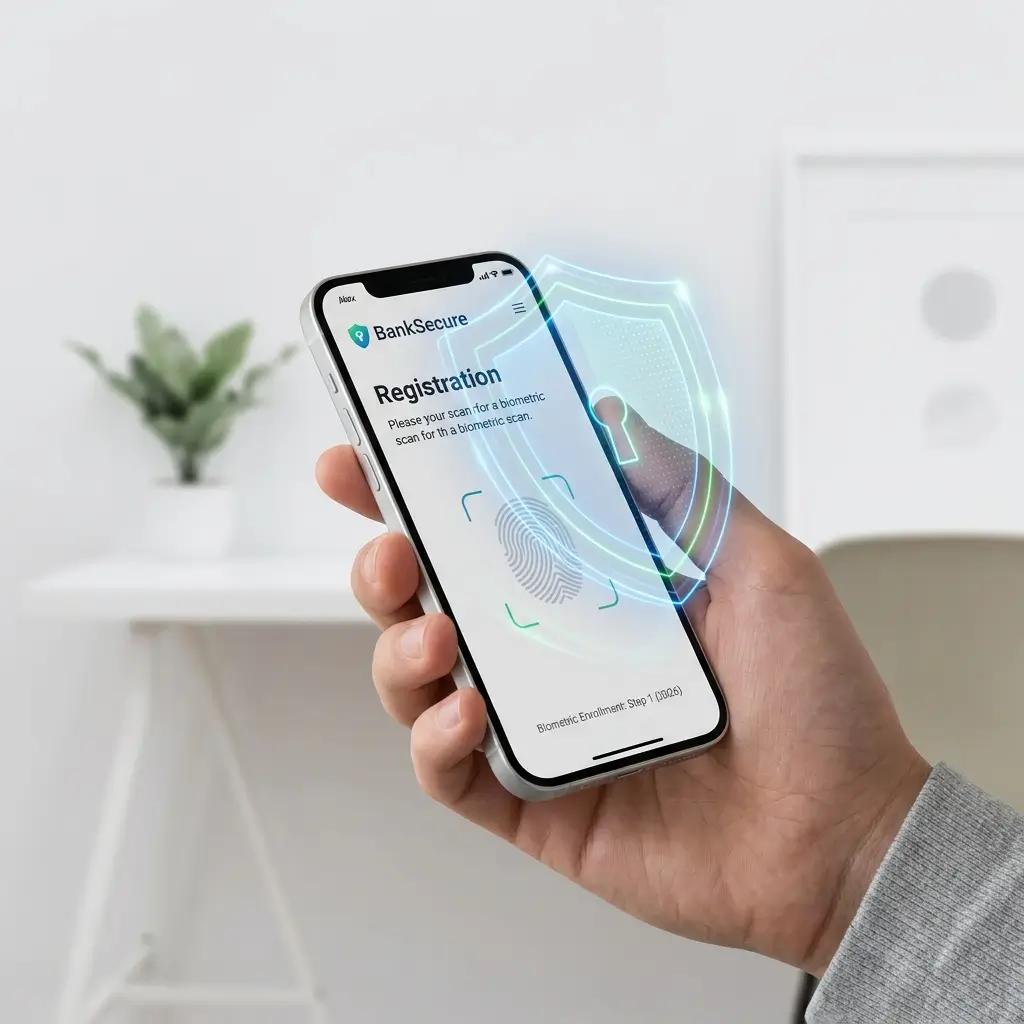
5. Biometric Authentication
Mobile banking apps increasingly use biometric login options such as:
- Fingerprint scanning
- Face recognition
- Voice authentication
Biometrics improve both security and convenience.
Common Online Banking Threats
Knowing the most common threats helps you avoid them.
1. Phishing Attacks
Phishing is one of the biggest online banking threats.
Scammers send fake emails, SMS messages, or social media messages pretending to be your bank.
Their goal is to trick you into clicking a link and entering your login details.
Example
“Your bank account has been blocked. Click here to verify your identity.”
These messages often look urgent to make users panic.
Never click banking links from suspicious messages. Always visit your bank’s official website or app directly.
2. Malware and Viruses
Malware is harmful software that can infect your phone or computer.
It may:
- Track your keystrokes
- Steal passwords
- Capture screen activity
- Redirect you to fake websites
- Monitor banking sessions
This is why keeping your device updated is important.
3. Public Wi-Fi Risks
Public Wi-Fi networks in airports, cafés, hotels, and malls are often less secure.
Hackers may use these networks to intercept data or trick users into connecting to fake Wi-Fi hotspots.
Avoid logging into bank accounts on public Wi-Fi.
4. Weak Passwords
Weak passwords make accounts easier to hack.
Avoid passwords like:
- 123456
- password
- Your name
- Birthdate
- Phone number
A strong password is one of the simplest ways to protect your account.
5. Fake Banking Apps
Some scammers create fake apps that look like real banking apps.
These apps may steal:
- Login details
- Card information
- OTP codes
- Personal data
Only download banking apps from official app stores and verify the developer name.
Signs Your Bank Account May Be Compromised
You should act quickly if you notice anything unusual.
Warning signs include:
- Unknown transactions
- Login alerts from unfamiliar locations
- Password reset emails you did not request
- OTP messages you did not trigger
- Missing funds
- Locked account notifications
- Suspicious SMS or emails
- New payees added without your permission
If you notice any of these signs, contact your bank immediately.
How to Protect Your Online Bank Account
Here are practical steps every user should follow.
1. Use Strong Passwords
Create a password that is difficult to guess.
A strong password should include:
- Uppercase letters
- Lowercase letters
- Numbers
- Special characters
Avoid using the same password for multiple accounts.
2. Enable Two-Factor Authentication
Always enable 2FA if your bank offers it.
Even if someone steals your password, they may not be able to access your account without the second verification step.
3. Avoid Public Wi-Fi for Banking
Do not access your bank account on public or shared Wi-Fi networks.
Use:
- Mobile data
- Trusted home Wi-Fi
- Secure private networks
4. Keep Devices Updated
Update your:
- Mobile banking app
- Operating system
- Browser
- Antivirus software
Updates fix security weaknesses that hackers may exploit.
5. Verify Emails and Messages
Before clicking any link, check:
- Sender email address
- Message language
- Spelling errors
- Suspicious urgency
- Unusual requests
Banks usually do not ask for passwords or OTPs through email or SMS.
6. Use Official Banking Apps Only
Download banking apps only from:
- Google Play Store
- Apple App Store
- Official bank website links
Avoid third-party download websites.
7. Log Out After Banking
Always log out after finishing your session, especially on shared or public devices.
8. Monitor Transactions Regularly
Check your account activity often.
Early detection helps reduce financial damage.
9. Set Banking Alerts
Enable alerts for:
- Transactions
- Login attempts
- Password changes
- Large transfers
- Card usage
Real-time alerts help you respond quickly.
10. Check Website Security
Before logging in through a browser, make sure:
- The website address is correct
- The URL starts with HTTPS
- There is a lock icon
- You are not on a fake website
What to Do If Your Bank Account Is Hacked
If you suspect your account has been compromised, act immediately.
Step 1: Contact Your Bank
Call your bank’s official helpline and report suspicious activity.
Ask them to freeze your account or block suspicious transactions if needed.
Step 2: Change Your Password
Update your banking password immediately.
Also change passwords for connected email accounts.
Step 3: Block Your Card
If your debit or credit card details may be exposed, block the card.
Request a replacement if necessary.
Step 4: Report Fraud
File a fraud complaint with your bank and relevant authorities if required.
Keep records of:
- Transaction IDs
- Screenshots
- Emails
- SMS messages
Step 5: Scan Your Device
Use trusted antivirus or security software to remove malware.
Mobile Banking Security Tips
Mobile banking is convenient, but your phone must be protected.
Do This
- Use fingerprint or face unlock
- Keep your phone locked
- Enable app notifications
- Update apps regularly
- Use official banking apps
- Enable remote wipe if available
Avoid This
- Installing unknown apps
- Sharing your phone with others
- Saving passwords in plain text
- Clicking suspicious SMS links
- Rooting or jailbreaking your phone
A secure phone makes mobile banking much safer.
Online Banking vs Mobile Banking Security
| Feature | Online Banking | Mobile Banking |
|---|---|---|
| Access | Browser | Mobile app |
| Security Level | High | High |
| Main Risk | Phishing websites | Fake apps or stolen phone |
| Convenience | High | Very high |
| Authentication | Password + OTP | Biometrics + OTP |
Both are safe when used properly.
Advanced Online Banking Security Tips
For extra protection, use these advanced steps.
1. Use a Password Manager
A password manager creates and stores strong unique passwords.
This reduces the risk of password reuse.
2. Review Account Activity Logs
Some banks allow you to see login history.
Check for unfamiliar devices or locations.
3. Use Virtual Cards
Virtual cards protect your main card details during online purchases.
They are useful for subscriptions and ecommerce payments.
4. Limit Transaction Permissions
Set daily transfer limits if your bank allows it.
This can reduce loss if your account is compromised.
5. Keep Your Email Secure
Your email is often connected to your banking account.
Use strong passwords and 2FA on your email too.
Is Online Banking Safe in 2026?
Yes, online banking is safer than ever because banks now use advanced security tools such as:
- AI fraud detection
- Biometric authentication
- Secure APIs
- Encryption
- Real-time alerts
- Stronger identity verification
However, technology alone is not enough.
User awareness remains one of the most important parts of online banking security.
Most banking fraud happens because users click fake links, share OTPs, use weak passwords, or ignore suspicious activity.
Common Myths About Online Banking Security
“Online Banking Is Not Safe”
This is false.
Online banking is generally safe when used correctly.
“Banks Handle All Security”
Banks protect their systems, but users must also protect their devices and login details.
“Small Accounts Are Not Targeted”
Hackers target accounts of all sizes.
Even small accounts can be used for fraud or identity theft.
“OTP Means I Am Fully Protected”
OTP helps, but scammers may trick users into sharing it.
Never share OTP codes with anyone.
Why Online Banking Security Matters for Financial Content
Online banking security is a strong topic for financial websites because it builds reader trust and topical authority.
It attracts readers interested in:
- Banking safety
- Cybersecurity
- Fraud prevention
- Digital payments
- Identity protection
- Financial education
It also supports monetization through related topics such as:
- Cybersecurity software
- Identity theft protection
- Insurance
- Digital banking tools
- Secure payment platforms
Security content strengthens trust in finance niches because readers value practical protection advice.
Frequently Asked Questions
Is online banking safe?
Yes, online banking is generally safe when banks use strong security systems and users follow safe practices.
What is the biggest online banking risk?
Phishing is one of the biggest risks because it tricks users into giving away login details or OTP codes.
Can banks recover stolen money?
In many cases, banks may help recover funds if fraud is reported quickly. Policies vary by country and bank.
Should I use mobile banking apps?
Yes, official mobile banking apps are generally safe when downloaded from trusted app stores.
Is public Wi-Fi safe for banking?
No. Avoid using public Wi-Fi for banking because it may expose your data.
What should I do if I clicked a suspicious banking link?
Do not enter information. Close the page, change your password, and contact your bank if you shared any details.
Final Thoughts: Secure Banking Starts With Smart Habits
Online banking security is not only the bank’s responsibility. It is also your responsibility.
Banks provide encryption, fraud detection, secure servers, and authentication systems. But users must protect passwords, avoid scams, monitor accounts, and use secure devices.
The most important rules are simple:
- Use strong passwords
- Enable two-factor authentication
- Never share OTP codes
- Avoid public Wi-Fi
- Download only official banking apps
- Monitor your account regularly
- Act quickly if something looks suspicious
In 2026, digital banking is the future of finance — but secure digital banking is what keeps your money safe.
The smarter your security habits, the safer your financial life becomes.